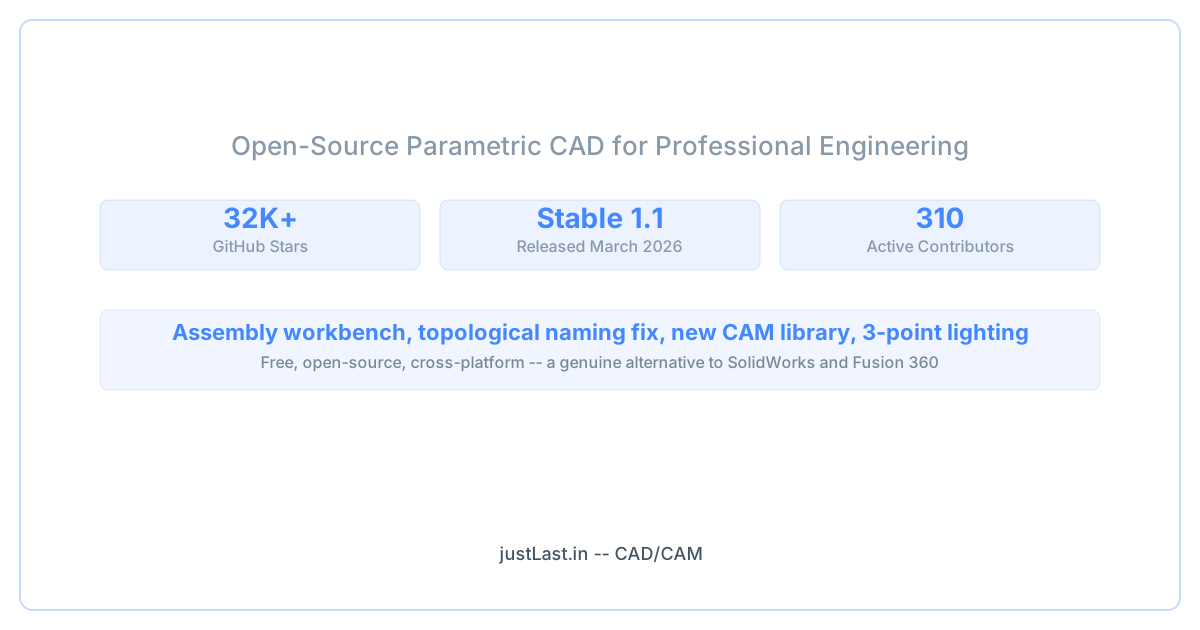
Key Takeaway: FreeCAD 1.1, released in March 2026 and now at version 1.1.1, introduces a completely overhauled CAM tool library system with drag-and-drop support, Assembly workbench animations for joint simulations, interactive Part Design draggers, and transparent previews — making it the most significant update in the open-source CAD platform’s history.
FreeCAD 1.1: Key New Features
CAM Tool Library
All-new system with drag-drop
Assembly Animation
Create Simulation tool added
Part Design
Interactive draggers + previews
CAM Improvements
G84/G74 tapping operations
Multi-pass support for profiles
Assembly Workbench
Insert a new part tool
Joint motion simulation
FEM Enhancements
Results animations
Elmer static current conduction solver
Part Design UX
Transparent preview in sketch
Clarify Selection tool
Download: freecad.org — Version 1.1.1 stable — Windows, macOS, Linux — Completely free and open-source
Sources: FreeCAD blog, OSTechNix, 9to5Linux, FreeCAD wiki, GitHub releases
Improved Wayland support on Linux
New orbit styles: Trackball Classic, Rounded Arcball
Weekly builds available for bleeding-edge users — Addon Manager for community modules
FreeCAD 1.1: A Major Leap for Open-Source CAD/CAM
FreeCAD, the free and open-source parametric 3D modeler, released version 1.1 in March 2026, followed by the 1.1.1 stable release. This update represents the most significant single set of improvements in FreeCAD’s history, with major changes across nearly every workbench. For CAD/CAM professionals, the new CAM tool library alone is reason enough to upgrade.
FreeCAD is cross-platform — available on Windows, macOS, and Linux — and is used by hobbyists, educators, and increasingly by small manufacturing businesses as a cost-effective alternative to commercial CAD software. The 1.1 release closes the gap with proprietary alternatives significantly.
Revolutionary New CAM Tool Library System
The most impactful change for CNC machinists is the completely redesigned CAM (formerly called Path Workbench) tool library system. FreeCAD 1.1 introduces:
A totally new tool library interface with an improved toolbit editor that supports drag-and-drop and copy-paste functionality. This makes managing your tool inventory significantly more intuitive than the previous system. You can now drag tools between libraries, duplicate tool setups, and organize toolbits visually.
New tapping operations: G84 (right-hand tapping) and G74 (left-hand tapping) operations have been added, expanding FreeCAD’s CAM capabilities for thread-cutting operations on CNC mills and machining centers. This is a critical feature for manufacturing threaded holes without requiring a separate tapping head.
Multi-pass support for profile operations: Profile operations now support multiple passes, allowing for roughing and finishing passes in a single operation definition. This reduces programming time and creates more efficient toolpaths for deep cuts that require multiple passes.
The CAM workbench in FreeCAD 1.1 is now suitable for a much wider range of real-world CNC machining tasks, from simple 2.5D milling to more complex multi-operation parts.
Assembly Workbench Gains Animations
FreeCAD 1.1 brings long-awaited animation capabilities to the Assembly workbench. The new Create Simulation tool (introduced in PR#16414) allows users to add motions to joints and generate animations. This means you can now visualize how your assembled mechanisms will move before cutting any metal or 3D printing any part.
The Insert a new part tool makes it easier to add components to assemblies, streamlining the workflow for multi-part mechanical designs. Combined with the animation capability, FreeCAD 1.1 becomes a much more viable tool for mechanical design and kinematic analysis.
Interactive Part Design Improvements
The Part Design workbench receives several quality-of-life improvements that dramatically improve the modelling experience:
Interactive draggers have been added to tools like Fillet and Chamfer. Instead of typing exact values first, you can now visually drag the fillet or chamfer to the desired size and fine-tune numerically afterward. This makes the modelling process more intuitive and faster for exploratory design work.
Transparent Part Design previews allow you to see through your model while sketching on a face, making it significantly easier to align new features with existing geometry underneath.
The new Clarify Selection tool helps when working with dense models, making it easier to select the exact edge, face, or vertex you intend to modify.
FEM Workbench Enhancements
For engineers doing finite element analysis, FreeCAD 1.1 introduces result object animations and a new Elmer static current conduction solver. This expands FreeCAD’s FEA capabilities into electrothermal analysis, useful for PCB design and electronic enclosure thermal management. The animation support for FEM results makes it easier to visualize how stresses, displacements, and temperatures evolve across your model under load.
User Interface and Workflow Improvements
FreeCAD 1.1 includes several UI refinements that experienced users will appreciate:
- New orbit styles: Trackball Classic and Rounded Arcball provide additional navigation options beyond the existing styles
- Group dragging: You can now drag all selected geometrical entities at once, instead of moving them one by one
- Improved Linux Wayland support: Better compatibility with modern Linux desktop environments
- External geometry as reference: A new preference ensures external geometry is always created as reference geometry, independent of the current construction mode
- 3-point lighting: Improved default scene lighting for better model visualization
FreeCAD 1.1 in the Manufacturing Workflow
For small and medium manufacturing operations, FreeCAD 1.1 now offers a credible open-source alternative for the entire CAD-to-CAM workflow. The parametric modeler handles part design, the Assembly workbench manages multi-part assemblies, and the CAM workbench generates G-code for CNC machines — all in one free, cross-platform application.
The new tool library system is particularly valuable for shops that maintain extensive tool inventories. Drag-and-drop organization, copy-paste tool setups, and the ability to share tool libraries across team members reduce setup time significantly. Multi-pass support in profiling operations means fewer manual interventions on the CNC control.
For businesses evaluating FreeCAD, the software supports STEP, IGES, and STL import/export, making it compatible with most commercial CAD systems. The learning curve is moderate for users familiar with parametric modelling concepts, and the community provides extensive documentation through the FreeCAD wiki and forum.
Frequently Asked Questions
Q: Is FreeCAD 1.1 really free for commercial use?
A: Yes, FreeCAD is licensed under LGPLv2+ and is completely free for any use, including commercial and industrial applications. There is no paid version or subscription required.
Q: What is the difference between FreeCAD 1.0 and 1.1?
A: FreeCAD 1.1 adds a completely new CAM tool library system, Assembly animations, interactive Part Design draggers, transparent previews, FEM animations, and multiple UI improvements over 1.0.
Q: Can FreeCAD 1.1 generate G-code for my CNC machine?
A: Yes, the CAM workbench generates standard G-code that works with most CNC controllers including GRBL, LinuxCNC, and Mach3/4. Post-processors for various machine types are available.
Q: Does FreeCAD 1.1 run on Windows?
A: Yes, FreeCAD runs on Windows, macOS, and Linux. Windows 10 and 11 are fully supported.
Q: Can I import designs from SolidWorks or Fusion 360 into FreeCAD?
A: FreeCAD can import STEP, IGES, and STL files, which are standard exchange formats supported by all major CAD packages. Native .SLDPRT and .F3D files are not directly supported.
Q: Where can I download FreeCAD 1.1?
A: Download the latest stable version (1.1.1) from the official FreeCAD website at freecad.org. Weekly development builds are also available for testing new features.
Related Reading
- Autodesk Fusion July 2026 Major Update: 5 Key Features
- CNC Machining Trends 2026: AI-Native Machining and Digital Twins
Sources:
- FreeCAD Blog — Version 1.1 Released
- FreeCAD Wiki — Release Notes 1.1
- OSTechNix — FreeCAD 1.1 Released
- 9to5Linux — FreeCAD 1.1 Release Coverage
- FreeCAD GitHub — Release 1.1.0