Key Takeaway: The best productivity apps in 2026 depend on the shape of your work, not on a star rating. Notion leads for all-in-one knowledge work, Todoist for pure task management, TickTick for budget-conscious users, and Obsidian for local-first note-taking. Most productive people run a focused stack of 2-3 apps, not a single tool.
Best Productivity Apps 2026
Pick by work style — task, project, calendar, or knowledge
Notion
Best all-in-one workspace (9.4/10)
Todoist
Best pure task manager (9.1/10)
TickTick
Best budget all-rounder (8.2/10)
Obsidian
Local-first knowledge base (8.5/10)
Motion
Best AI calendar scheduling (8.3/10)
Free tier strength: Storyflow and Notion offer the most generous free plans
Most apps have robust free tiers — no need to pay until you outgrow them
Task Shaped
Todoist, TickTick, Things 3
Project Shaped
Notion, Storyflow, ClickUp
Calendar Shaped
Motion, Sunsama, Reclaim
Stack recommendation: Notion Free + Todoist Free + Toggl Track Free = Complete system at $0
The Productivity App Landscape in 2026
The productivity app market has matured significantly by 2026. After years of explosive growth and feature bloat, the market has settled into clear categories with distinct leaders. The most important lesson from hundreds of hours of testing is that there is no single best app — the right tool depends entirely on the shape of your work.
This guide covers the top productivity apps in 2026, ranked and tested, with clear recommendations for different work styles. All apps listed offer genuinely useful free plans, so you can build a capable productivity stack without spending a rupee.
Notion — Best All-in-One Workspace (9.4/10)
Notion continues to dominate as the broadest productivity platform in 2026. Its combination of pages, databases, wikis, and lightweight project tracking makes it the default choice for knowledge workers who need documents and data in one place. The free plan remains unusually generous for personal use, supporting unlimited pages and blocks with no time limit.
Notion’s strength is its flexibility. You can build a simple todo list, a company wiki, a content calendar, or a full project management system — all within the same workspace. The AI features, added in 2024 and refined through 2026, provide writing assistance, summarization, and database querying in natural language. The main limitation is that Notion requires internet connectivity for full functionality, and large databases can become slow without careful optimization.
Use Notion when your work is document-shaped and database-shaped — writing, organizing information, maintaining knowledge bases, and collaborative wikis.
Todoist — Best Pure Task Manager (9.1/10)
Todoist remains the gold standard for task management in 2026. Its core strength is speed: you can capture a task in under two seconds using natural language input (“buy groceries tomorrow at 5pm p1 @personal”), and the app parses the date, priority, and project automatically. The free plan supports up to 5 projects with basic features, which is sufficient for most individual users.
Todoist’s paid Pro plan ($5/month) unlocks 300 projects, calendar layout, and full Task Assist AI. The AI can break down complex tasks into subtasks, suggest due dates based on your patterns, and even draft task descriptions. For cross-platform users who need a task manager that works identically on every device, Todoist is unmatched.
Use Todoist when your work is task-shaped — you need fast capture, reliable reminders, and a clean interface that stays out of your way.
TickTick — Best Budget All-Rounder (8.2/10)
TickTick is the best value in productivity apps in 2026, combining tasks, habits, calendar, and a Pomodoro timer in one package for about $3/month. The free tier is generous with 9 lists, basic habit tracking, and Pomodoro functionality. It is the ideal choice for students, freelancers, and anyone who wants multiple tools in one app.
The paid plan ($35.99/year) adds calendar view, smart lists, themes, and advanced filters. TickTick’s habit tracker is particularly well-designed — you can set frequency targets, view streaks, and get gentle reminders. The integrated Pomodoro timer starts focus sessions directly from a task, making it easy to combine task management with deep work practice.
Use TickTick when you want tasks plus habits plus calendar on a budget, and prefer an all-in-one approach over separate specialized tools.
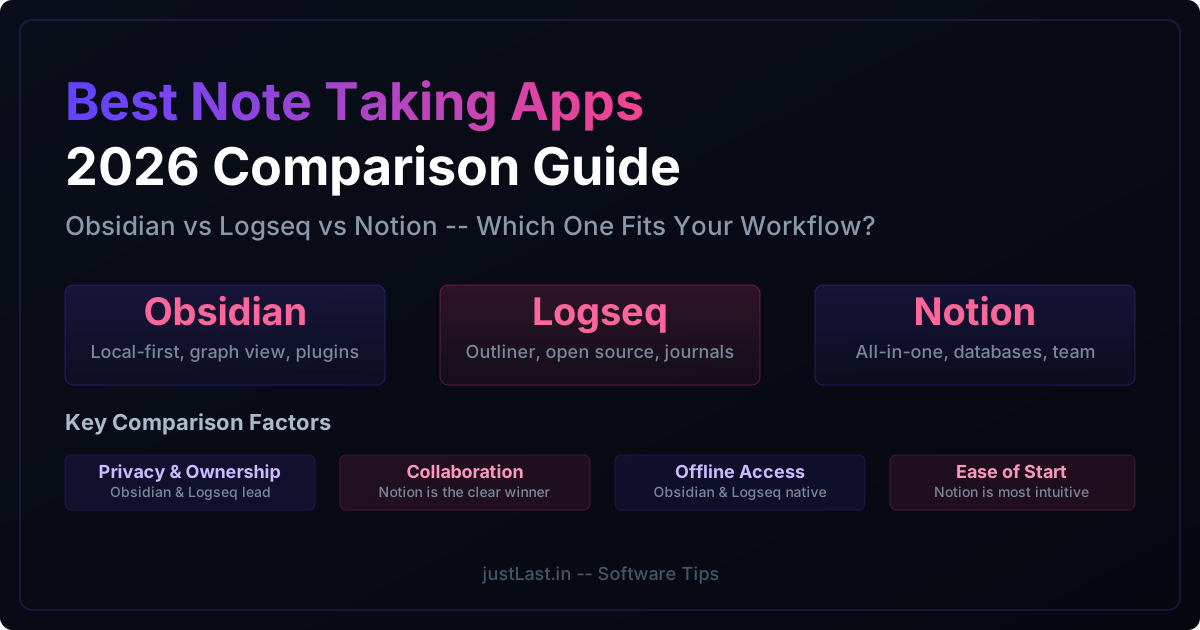
Obsidian — Best Local-First Knowledge Base (8.5/10)
Obsidian has become the go-to choice for users who prioritize privacy, longevity, and deep thinking. Your notes are stored as plain Markdown files on your local device — no cloud dependency, no vendor lock-in, no subscription required for the core app. The bidirectional linking system creates a personal wiki where ideas connect naturally.
Obsidian’s plugin ecosystem is enormous, with over 1500 community plugins covering everything from Kanban boards to spaced repetition to AI-powered writing assistance. The Canvas feature provides an infinite whiteboard for visual thinking. For users who value long-term knowledge management and want their notes to outlast any platform, Obsidian is unmatched.
Use Obsidian when your work is knowledge-shaped — research, note-taking, writing, and building a personal knowledge base that you want to own forever.
Motion — Best AI Calendar Scheduling (8.3/10)
Motion automatically schedules your tasks onto your calendar by priority and deadline, then reshuffles when the day moves. It is the most aggressive AI calendar scheduler on the market, and for users who struggle with time management, it can be transformative. The algorithm considers task duration, energy levels, deadlines, and meeting conflicts to build optimal daily schedules.
Motion is not cheap at $12.73/seat/month, but it replaces both a task manager and a calendar for users who need help with time allocation. The 7-day free trial gives enough time to evaluate. For users who prefer manual control, Sunsama ($20/month) offers a calmer daily planning ritual, while Reclaim ($8/user/month) focuses on defending recurring focus time on shared calendars.
Use Motion when calendar time is genuinely your bottleneck and you want AI to handle the scheduling work.
Building Your Productivity Stack
The most effective approach in 2026 is building a focused stack of 2-3 specialized tools rather than trying to find one app that does everything.
For task management, pair Todoist (free) with a calendar app. For knowledge work, use Notion (free) as your wiki paired with Obsidian (free) for personal notes. For time tracking, add Toggl Track (free). For deep focus, TickTick’s free Pomodoro timer or Forest ($3.99 one-time) keep you on track. For team collaboration, Slack (free tier) handles communication and Google Drive (free) handles file sharing.
The total cost for a complete productivity system can be zero. Start with free tiers, identify your actual workflow bottlenecks, and upgrade only the specific tools that solve real problems. The best productivity system is the one you actually use consistently.
Frequently Asked Questions
What is the best free productivity app in 2026?
Storyflow’s free plan is one of the strongest — unlimited boards, unlimited notes and collaboration, and basic AI forever with no credit card. Notion’s free plan is excellent for personal knowledge work. Todoist Free covers 5 projects effectively.
Do I need to pay for productivity apps?
Not necessarily. A capable setup runs from free (Notion Free + Storyflow Free) to about $15-25/month for paid tools. Most free tiers have become genuinely useful in 2026.
What is the best productivity app for team collaboration?
For teams, Notion (docs and databases), ClickUp (project management), and Slack (communication) form a powerful free combination. Monday.com and Asana are strong paid alternatives for larger teams.
Is Motion worth the price?
Motion is worth it only if calendar time is your primary bottleneck. For users who struggle with prioritization and time blocking, the AI scheduling can be transformative. For others, a free calendar app plus Todoist works just as well.
Which productivity app has the best AI features in 2026?
Notion AI and Storyflow AI lead in knowledge work (writing, summarization, project planning). Motion and Reclaim lead in calendar AI. Todoist’s Task Assist is best for task-specific AI.
How many productivity apps should I use?
A focused stack of 2-3 apps is ideal. One for tasks, one for notes or projects, and optionally one for calendar or time tracking. More than 4 apps creates coordination overhead and reduces adoption.
Related Reading
- Top Open Source Software Alternatives for 2026 — Free and privacy-respecting alternatives to popular paid tools
- Digital Declutter: Streamlining Your Tech Stack for 2026 — How to audit and optimize your software subscriptions
Sources
- Zapier: Best Productivity Apps 2026
- Storyflow: 12 Best Productivity Apps in 2026
- PCMag: Best Productivity Apps We’ve Tested for 2026
- Buffer: I’ve Tried 50+ Productivity Tools — Here Are My Top 9
- The Digital Project Manager: 10 Best Productivity Tools 2026