Key Takeaway: For CNC machining in India, Fusion 360 offers better value with integrated CAM at $545/year (free for hobbyists), while SolidWorks excels in complex assembly modeling but requires expensive CAM add-ons starting at $4,000+ for a full license.
Table of Contents
1. Overview of Fusion 360 and SolidWorks
Choosing the right CAD/CAM software is one of the most critical decisions for any CNC machining workshop in India. Two names dominate the conversation: Fusion 360 by Autodesk and SolidWorks by Dassault Systèmes. Both are powerful, but they serve fundamentally different workflows and budgets.
Fusion 360 is a cloud-based CAD/CAM platform that integrates design, engineering, and manufacturing into a single subscription. It has gained massive traction among Indian CNC workshops due to its affordable pricing and all-in-one approach. SolidWorks, on the other hand, is the industry-standard parametric solid modeling software used by large manufacturing enterprises worldwide, but its CAM capabilities require separate add-ons.
This comparison focuses specifically on CNC machining workflows — not just CAD modeling. We evaluate both Fusion 360 vs SolidWorks across pricing, CAM toolpath generation, post-processor support, and real-world usability for Indian engineers in 2026.
2. Pricing Comparison for Indian Users
For Indian engineering firms and freelance CNC operators, cost is a decisive factor. Fusion 360 offers a clear advantage here:
- Fusion 360 Standard: $545/year (approx ₹45,000/year) — includes CAD, CAM, simulation, and generative design
- Fusion 360 for personal use: Free for hobbyists and makers (revenue under $1,000/year)
- SolidWorks Standard: ~$4,000 one-time license (approx ₹3.3 lakhs) — CAD only, no CAM
- SolidWorks CAM Standard: ~$1,500 additional (approx ₹1.25 lakhs) — basic 2.5-axis CAM
- SolidWorks CAM Professional: ~$3,500 additional — 3-axis CAM with simulation
A complete SolidWorks CAD + CAM setup can cost over ₹5 lakhs, while Fusion 360 provides integrated CAD/CAM for under ₹50,000 annually. For small to medium CNC workshops in India, Fusion 360’s pricing model is significantly more accessible. However, the annual subscription model means you never truly own the software, unlike SolidWorks’ perpetual license structure.
3. CAM Capabilities for CNC Machining
This is where the Fusion 360 vs SolidWorks comparison gets interesting for CNC users. Fusion 360 has a major advantage: CAM is built directly into the core product.
Fusion 360 CAM:
- 2D, 2.5D, and 3D milling toolpaths included in standard subscription
- Multi-axis machining up to 5-axis simultaneous
- Built-in post-processor library with 500+ machine configurations
- Adaptive clearing, trochoidal milling, and high-speed machining strategies
- Toolpath simulation with material removal visualization
- Cloud-based toolpath optimization and shared tool libraries
SolidWorks CAM:
- Basic 2.5-axis CAM in the Standard package
- 3-axis and multi-axis machining requires Professional or Premium add-ons
- Integration with CAMWorks for advanced toolpath generation
- Powerful knowledge-based machining (KBM) for standardizing workflows
- Excellent tolerance-based machining for tight-tolerance parts
- Post-processor configuration requires more manual setup
For most Indian CNC workshops running 3-axis milling machines and routers, Fusion 360 provides more than enough CAM capability out of the box. SolidWorks CAM becomes relevant when you need advanced tolerance analysis, knowledge-based machining templates, or work with very complex multi-axis parts.
4. Modeling and Assembly Features
SolidWorks is widely regarded as the superior parametric modeling tool. Its sketch and feature-based modeling is mature, reliable, and extremely powerful for large assemblies. Fusion 360 has improved significantly, but still lags in handling assemblies with hundreds of components.
SolidWorks strengths:
- Mature parametric modeling engine with 30+ years of development
- Handles assemblies with 1,000+ components without slowdown
- Advanced surfacing and sheet metal tools are industry-leading
- Design tables and configurations for managing part families
- Robust drawing generation with full GD&T support
Fusion 360 strengths:
- Direct modeling combined with parametric history (hybrid approach)
- Cloud-based collaboration — multiple users can work on the same design
- Generative design capabilities using AI-driven optimization
- Integrated rendering and animation without additional cost
- Version control and cloud storage built in
5. Learning Curve and Community Support
Fusion 360 has a gentler learning curve, making it ideal for Indian engineers and hobbyists transitioning from software like Solid Edge or FreeCAD. Autodesk provides extensive free tutorials, a thriving forum community, and certification programs at accessible prices.
SolidWorks has a steeper learning curve, particularly for the CAM modules. However, once mastered, the skills are highly transferable across the manufacturing industry. SolidWorks certification (CSWP, CSWA) is widely recognized by Indian employers and multinational companies alike.
6. Industry Adoption in India
In the Indian CNC ecosystem, SolidWorks remains the dominant choice for large manufacturing companies, automotive suppliers, and aerospace workshops. Companies like Tata Motors, Mahindra & Mahindra, and Larsen & Toubro use SolidWorks extensively.
Fusion 360 has found its stronghold in the small and medium enterprise (SME) segment, among job shops, prototype development firms, and the growing community of independent CNC entrepreneurs. According to Autodesk, India has seen 40% year-over-year growth in Fusion 360 subscriptions since 2023, driven largely by the affordability and integrated CAM.
7. Which Should You Choose?
Choosing between Fusion 360 vs SolidWorks depends on your specific needs:
Choose Fusion 360 if: You run a small to medium CNC workshop in India, need integrated CAM without massive upfront investment, collaborate with remote team members, or want an all-in-one solution that covers design, CAM, and simulation under one subscription.
Choose SolidWorks if: You work with large assemblies (500+ parts), need advanced surfacing or sheet metal tools, supply parts to large enterprises that require SolidWorks-native files, or prefer a perpetual license model over subscription.
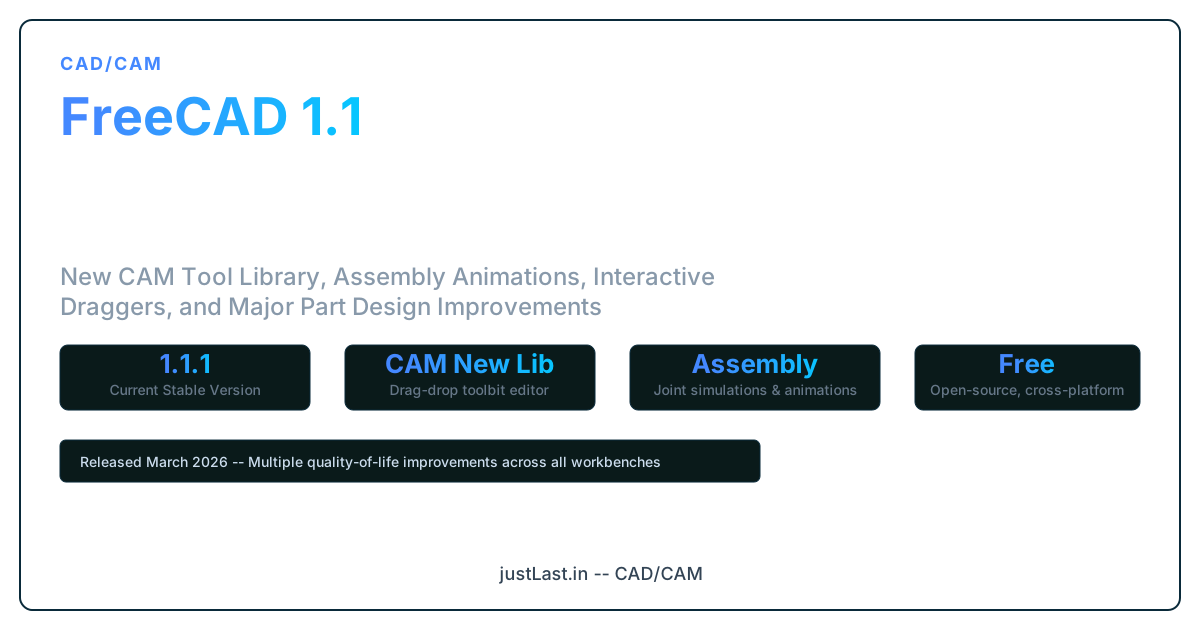
Consider FreeCAD if: Your budget is zero, you’re learning CAD/CAM fundamentals, or you need an open-source solution with parametric modeling and basic CAM through the Path Workbench — though it lacks the polish and post-processor support of commercial options.
Frequently Asked Questions
Can Fusion 360 open SolidWorks files?
Yes, Fusion 360 can import SolidWorks part files (.SLDPRT) and assembly files (.SLDASM) directly. However, complex assemblies with advanced mates may require cleanup after import.
Is Fusion 360 CAM free for hobbyists in India?
Yes, Autodesk offers Fusion 360 for personal use completely free for hobbyists, makers, and non-commercial users with annual revenue under $1,000. This includes basic CAM functionality for up to 2.5-axis machining.
Which is better for 3-axis CNC milling?
For 3-axis CNC milling, Fusion 360 offers better value with its integrated CAM, adaptive clearing strategies, and extensive post-processor library. SolidWorks requires expensive CAM add-ons for comparable 3-axis capabilities.
Do Indian companies prefer SolidWorks or Fusion 360?
Large Indian enterprises and automotive suppliers predominantly use SolidWorks. Small to medium CNC job shops and independent engineers increasingly prefer Fusion 360 for its affordability and integrated CAM workflow.
What post-processors are available for Fusion 360 in India?
Fusion 360 includes post-processors for most common Indian CNC machines: Mach3/Mach4, GRBL, LinuxCNC, Siemens 808D/828D, Fanuc Oi series, Haas, and many more. Custom post-processors can be created using the Post Processor Editor.
Related Reading
- CNC Machine Calibration: Step-by-Step Guide for Precision Machining
- GRBL CNC Setup Guide: From Arduino to Your First Engraving Project
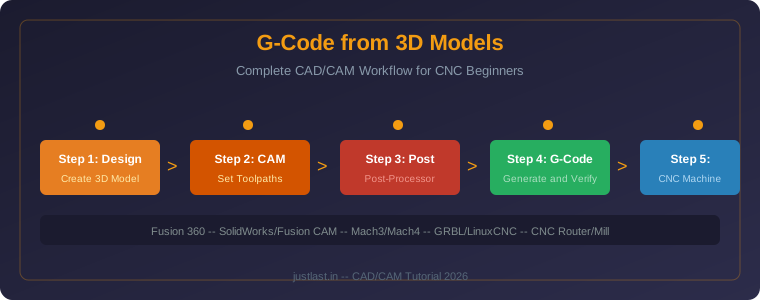
- How to Generate G-Code from 3D Models: Complete CAD/CAM Workflow for CNC Beginners
Sources
- Autodesk Fusion 360 Pricing
- Dassault Systèmes SolidWorks Official Page
- Fusion 360 CAM Documentation
- FreeCAD Official Project
Disclosure: This post contains affiliate links. As an Amazon Associate, we earn from qualifying purchases. This does not affect our editorial independence.