Key Takeaway: Achieving passing Core Web Vitals scores in 2026 requires a systematic approach — start with real user field data from Search Console, optimize the failing metric (LCP, INP, or CLS) with targeted fixes, use lightweight block themes with lean theme.json configuration, and layer caching plus CDN for consistent performance.
📖 Table of Contents
1. Understanding Core Web Vitals in 2026
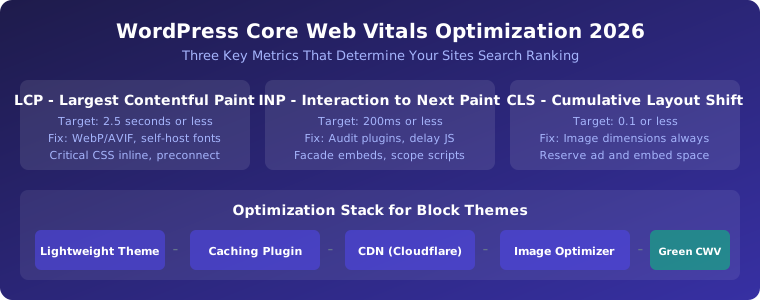
WordPress performance optimization in 2026 revolves around three Core Web Vitals metrics that Google uses as ranking signals. Largest Contentful Paint (LCP) measures loading performance — target 2.5 seconds or less. Interaction to Next Paint (INP) measures responsiveness — target 200 milliseconds or less. Cumulative Layout Shift (CLS) measures visual stability — target 0.1 or less. These metrics are measured at the 75th percentile of real user visits, making field data from Search Console more important than lab data from Lighthouse.
The fundamental principle of WordPress performance optimization is to measure before you optimize. Many site owners install a caching plugin, enable every option, and hope for the best — but this approach rarely addresses the actual bottleneck. Start by checking your Core Web Vitals report in Google Search Console, then identify which metric is failing. Fix that one metric before moving to the next.
2. Optimizing LCP: Largest Contentful Paint
LCP is typically the hero image, headline text, or a featured section. In WordPress block themes, the LCP element is most often a Cover block image, a Group block with background, or the site logo. Fixes include serving images in WebP or AVIF format, right-sizing the image to the display dimensions rather than uploading 2500px files, self-hosting fonts with font-display: swap, and inlining critical CSS for above-the-fold content.
A common mistake is enabling lazy loading on the hero image. The first large image above the fold should load eagerly, not lazily. Many caching plugins have options to exclude specific images from lazy loading.
3. Optimizing INP: Interaction to Next Paint
INP replaced First Input Delay (FID) as a Core Web Vital in 2024 and is stricter. Block themes have a natural advantage here because they ship less JavaScript than page-builder themes, but plugins are the primary source of INP problems. Audit your active plugins — every plugin that enqueues JavaScript on the front end is a candidate for optimization.
Key fixes include deferring third-party scripts (analytics, chat widgets, ad networks) to load only after user interaction, facading embedded content (YouTube videos, Google Maps) with click-to-load previews, and keeping block JavaScript scoped so scripts only load on pages where the block is actually used.
4. Optimizing CLS: Cumulative Layout Shift
CLS is usually the quickest metric to fix. The most common cause is images loaded without explicit dimensions. The WordPress Image block automatically writes width and height attributes, but images injected by plugins or added through custom HTML often lack these attributes.
Other causes include late-loading font swaps that reflow text, ads and embeds without reserved space, and late-injected content like cookie consent banners that push page content down. For fonts, matching fallback font metrics to your primary font minimizes layout shift during font loading.
5. Block Themes and theme.json Performance
WordPress block themes centralize styling through theme.json, which controls everything from typography to spacing. While this is architecturally cleaner than classic themes, theme.json can generate significant inline CSS bloat — sometimes exceeding 80KB of uncompressed, render-blocking CSS from unused SVG filters, duotone presets, and block support definitions.
Optimize by keeping your theme.json presets lean — only define the colors, font sizes, and spacing scales you actually use. Disable unnecessary block supports to reduce generated CSS. Many block themes also enqueue global styles sitewide, even on pages where specific blocks are not used. Consider using a performance plugin that defers or removes unused global styles.
The Nexter Theme and similar lightweight block themes provide a performance-optimized foundation, but the theme alone is not a magic solution. A lightweight theme plus caching plugin plus CDN is the reliable formula for green CWV scores.
6. Caching Stack and CDN Configuration
A proper caching strategy involves multiple layers. Page caching serves static HTML copies to visitors, reducing PHP execution and database queries. Browser caching sets expiration headers for static assets. Object caching (Redis or Memcached) speeds up database queries for dynamic content.
Cloudflare provides a free CDN layer that offloads traffic, provides image optimization, and offers additional performance features like Argo Smart Routing and Railgun. For WordPress specifically, plugins like WP Rocket, LiteSpeed Cache, or Flying Press handle page caching, CSS/JS minification, and critical CSS generation.
The recommended stack for 2026: lightweight block theme + caching plugin (LiteSpeed Cache or WP Rocket) + Cloudflare CDN + WebP image delivery via EWWW Image Optimizer or ShortPixel.
Frequently Asked Questions
Does WordPress block themes perform better than classic themes?
Block themes have a head start because they ship less CSS and often zero JavaScript framework. However, performance depends on implementation — a poorly configured block theme with excessive theme.json presets can be slower than a lean classic theme.
What is a good LCP score for WordPress in 2026?
2.5 seconds or less for the 75th percentile of real user visits. Lab tests may show different numbers — always prioritize field data from Search Console.
How many plugins are too many for performance?
There is no fixed number, but every active plugin that enqueues front-end JavaScript or CSS adds to your page weight. Audit with Query Monitor or the Coverage tab in DevTools.
Do I need a caching plugin with a fast host?
Yes. Even with premium hosting, a caching plugin provides page cache, browser cache, minification, and CDN integration that hosting alone does not replace.
Related Reading
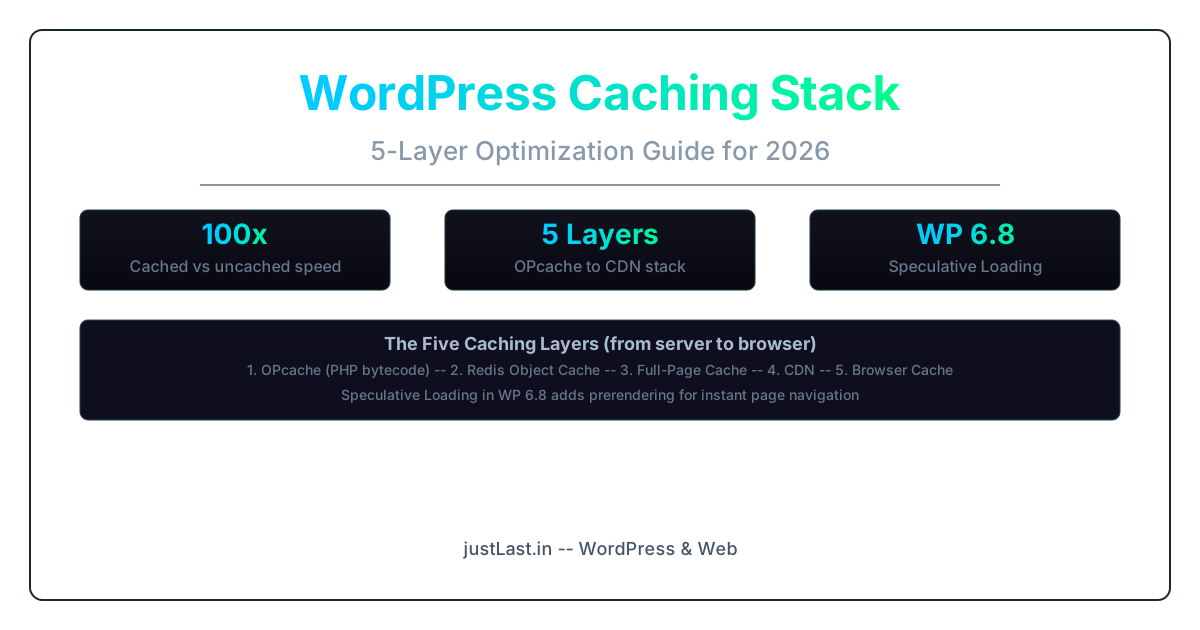
- WordPress Caching Stack: The Complete 5-Layer Optimization Guide for 2026
- WordPress Performance Optimization Guide 2026
- WordPress 6.9 Gene One Year Later
Sources
- WordPress Speed Optimization for Block Themes (2026) — NexterWP
- Optimizing WordPress FSE Sites for Speed — G Web Design
- Remove Global Styles WP 7.0 — theme.json Bloat
- CI/CD for FSE Block Themes — Vengala Vinay
- Web Vitals Guide — web.dev